Google Secretly Fixed a Big Gemini Problem on Android : This Changes Everything
Noopur Kumari | 28ec 28, 2025, 12:00 IST
Google is enhancing the Gemini overlay on Android to support smooth multitasking. With this improvement, users can switch between apps and return to the same Gemini conversation without losing progress. This update makes Gemini more practical for daily use, especially for productivity tasks. By allowing uninterrupted workflows, Google aims to position Gemini as a smarter and more user friendly AI assistant on Android smartphones.

Google unveils Gemini's next generation
Image credit : AP
Google is improving the Gemini experience on Android by fixing a major multitasking issue. Earlier, users lost their chat progress when switching apps while using the Gemini overlay. A new update spotted in the Android beta version shows that Google is addressing this problem. With improved multitasking support, users will be able to move between apps and return to the same conversation. This change can make Gemini more efficient, user-friendly, and useful for everyday tasks.
![Google launches AI]()
Earlier, the Gemini overlay on Android closed fully when users switched to another app, forcing them to restart the conversation every time. This made multitasking difficult and reduced productivity. With the upcoming update, users will be able to leave the Gemini overlay, open other apps, and return to the same chat without losing progress. This improvement will make Google Gemini more user-friendly, efficient, and useful for daily tasks and smooth multitasking on Android devices.
![Google AI mode rolls out in 7 new Indian languages]()
According to Android Authority, the new Gemini improvement was discovered in the beta version of the Google Android app. The updated interface allows Gemini to remain active in the background instead of closing when users switch apps. This change lets users continue their work without interruption while Gemini processes their request. The update improves multitasking, saves time, and makes the Gemini overlay more useful for productivity focused Android users who rely on AI assistance
![Gemini Overlay Beta Interface]()
With the updated system, Google Gemini will notify users when their results are ready. A floating button will allow quick access back to the Gemini overlay without interrupting ongoing tasks. This improvement helps users manage multiple apps smoothly while waiting for responses. The feature is designed to save time and improve productivity on Android devices. By supporting better multitasking, the Gemini overlay becomes more efficient and user friendly for everyday smartphone use.
Currently, users must choose between the limited Gemini overlay or the full Gemini app when multitasking on Android. This often disrupts workflow and reduces convenience. The upcoming update removes this limitation by allowing users to keep their conversation active while switching between apps. By combining the quick access of the overlay with the flexibility of the full app, Google is making Gemini more practical, efficient, and user friendly for everyday tasks and productivity needs.
Google is slowly replacing Google Assistant with Gemini on Android devices. Although the complete transition has been delayed, Gemini is already available on Wear OS, Android Auto, and Google Home platforms. This shows Google’s strong focus on expanding Gemini across its ecosystem. The new multitasking update further supports this strategy by improving usability and productivity. With better app integration and smoother performance, Gemini is being positioned as Google’s primary AI assistant for future Android experiences.
Unlock insightful tips and inspiration on personal growth, productivity, and well-being. Stay motivated and updated with the latest at My Life XP.
Is Google Gemini safe to use on Android?
Yes, Google Gemini is safe to use on Android devices. It follows Google’s privacy and security standards and works within the permissions you allow. Users can also review and manage their data settings at any time.
How do I get Google to stop asking me to use Gemini?
You can reduce Gemini prompts by adjusting your Assistant or Gemini settings. Turning off Gemini suggestions or switching back to Google Assistant in settings can limit reminders and prompts.
What can Google Gemini do on Android?
Google Gemini can answer questions, help with tasks, summarize information, generate text, and assist with everyday activities. It also works across apps and supports voice and text interactions on Android.
Multitasking Finally Becomes Possible

Google launches AI
Image credit : IANS
Earlier, the Gemini overlay on Android closed fully when users switched to another app, forcing them to restart the conversation every time. This made multitasking difficult and reduced productivity. With the upcoming update, users will be able to leave the Gemini overlay, open other apps, and return to the same chat without losing progress. This improvement will make Google Gemini more user-friendly, efficient, and useful for daily tasks and smooth multitasking on Android devices.
Smarter Interface in Beta Version
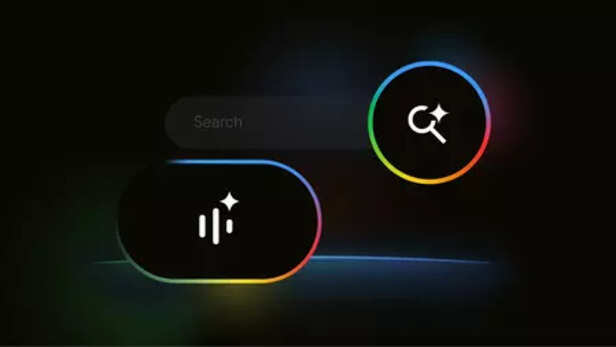
Google AI mode rolls out in 7 new Indian languages
Image credit : IANS
According to Android Authority, the new Gemini improvement was discovered in the beta version of the Google Android app. The updated interface allows Gemini to remain active in the background instead of closing when users switch apps. This change lets users continue their work without interruption while Gemini processes their request. The update improves multitasking, saves time, and makes the Gemini overlay more useful for productivity focused Android users who rely on AI assistance
Notifications Bring Results Faster
Gemini Overlay Beta Interface
Image credit : Pexels
With the updated system, Google Gemini will notify users when their results are ready. A floating button will allow quick access back to the Gemini overlay without interrupting ongoing tasks. This improvement helps users manage multiple apps smoothly while waiting for responses. The feature is designed to save time and improve productivity on Android devices. By supporting better multitasking, the Gemini overlay becomes more efficient and user friendly for everyday smartphone use.
Big Improvement Over Current System
Part of Google’s Assistant Transition
Unlock insightful tips and inspiration on personal growth, productivity, and well-being. Stay motivated and updated with the latest at My Life XP.
Frequently Asked Questions (FAQs)
Yes, Google Gemini is safe to use on Android devices. It follows Google’s privacy and security standards and works within the permissions you allow. Users can also review and manage their data settings at any time.
How do I get Google to stop asking me to use Gemini?
You can reduce Gemini prompts by adjusting your Assistant or Gemini settings. Turning off Gemini suggestions or switching back to Google Assistant in settings can limit reminders and prompts.
What can Google Gemini do on Android?
Google Gemini can answer questions, help with tasks, summarize information, generate text, and assist with everyday activities. It also works across apps and supports voice and text interactions on Android.