5 Hidden Smartphone Features Worth Trying Today
Palak Khanna | Jul 07, 2026, 14:53 IST
Most people use only a fraction of what their smartphones can actually do. Beyond social media, messaging, and photography, modern Android and iPhone devices include several hidden features designed to improve productivity, privacy, convenience, and safety. This article explores five lesser-known smartphone features that are easy to use and can make everyday tasks faster and more efficient.

Your Phone Can Do More Than You Think!<br>
Image credit : Gemini (AI)
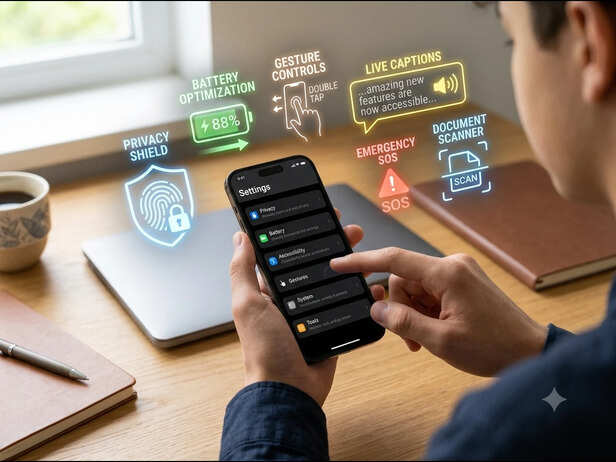
Your smartphone is probably the most-used gadget in your daily life. From checking emails and clicking photos to making payments and navigating unfamiliar places, it does almost everything. Yet, most users barely scratch the surface of what their phones are capable of. Whether you own an Android device or an iPhone, there are several built-in features that often go unnoticed. These tools can help you save time, protect your privacy, improve battery life, and even assist during emergencies. The best part is that you do not need to install any extra apps to use them. Here are five hidden smartphone features that deserve a place in your daily routine.
Imagine opening your camera, taking a screenshot, or turning on the flashlight simply by tapping the back of your phone. That is exactly what the Back Tap feature allows. On supported iPhones, users can assign double or triple taps to perform specific actions. Several Android brands also offer similar gesture-based shortcuts, although the settings may vary depending on the manufacturer. This feature is especially useful when your hands are busy or when you need quick access to an important function. Instead of searching through menus, one simple tap gets the job done. Once you start using it regularly, it feels surprisingly natural and can save valuable seconds throughout the day.
![Hidden Features Waiting Inside Your Smartphone]()
Have you ever watched a video in a noisy environment or forgotten your earphones? Live Caption can automatically generate captions for videos, podcasts, and even voice messages in many situations. Originally introduced as an accessibility feature, it has become useful for everyone. Whether you are travelling on public transport, sitting in a library, or simply prefer reading along, Live Caption helps you understand content without increasing the volume. The feature continues to improve with software updates, making it more accurate and widely supported across devices. It is one of those tools that many people never discover until they accidentally turn it on.
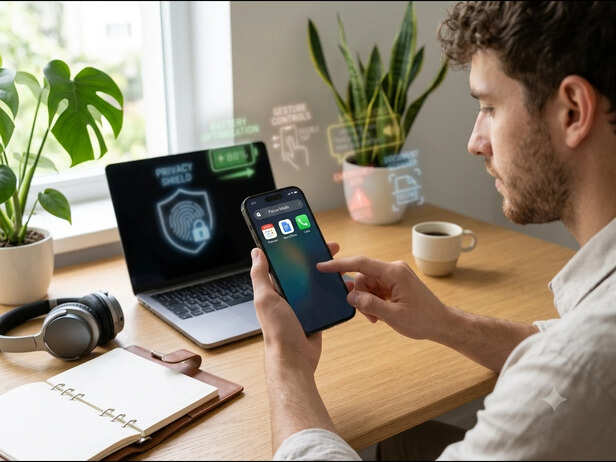
Modern smartphones are filled with distractions. Every few minutes, notifications compete for your attention, making it harder to concentrate. Focus Mode lets you create different profiles for work, study, sleep, or personal time. You can decide which apps and contacts are allowed to interrupt you while everything else stays silent. For example, your study mode may only allow educational apps and family calls, while your work mode keeps social media notifications hidden until later. Instead of completely disconnecting, Focus Mode gives you more control over when and how you use your phone. Many users find that it reduces digital stress while improving productivity.
![Focus Better With Smart Productivity Tools]()
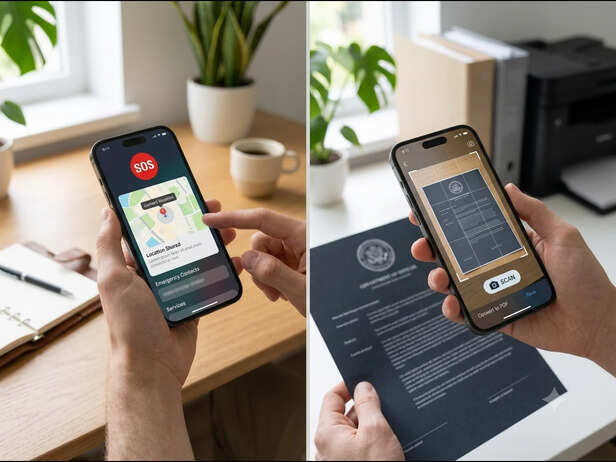
One of the most valuable smartphone features is also one of the least used until it becomes necessary. Emergency SOS allows users to quickly contact emergency services by pressing a specific combination of physical buttons. Many devices can also notify emergency contacts and share your live location automatically. During an emergency, every second matters. Having this feature set up in advance could make a significant difference. It is worth spending just a few minutes checking your emergency settings, adding trusted contacts, and learning how the shortcut works on your device. You may never need it, but if you do, you will be glad it was ready.
Built-In
![Safety and Convenience at Your Fingertips]()
Many people still download third-party scanner apps even though most smartphones already include this feature. Using your phone's camera, you can scan receipts, notes, contracts, handwritten pages, or identity documents. The software automatically detects edges, removes shadows, improves clarity, and converts the image into a neat PDF. The scans can then be shared instantly through email, messaging apps, or cloud storage. For students, professionals, and frequent travellers, this hidden feature saves both time and storage space while reducing the need for extra applications. Once you begin using it, carrying a traditional scanner becomes almost unnecessary.
Smartphones continue to become more powerful every year, but many of their smartest features remain hidden inside the settings menu. Simple tools like Back Tap shortcuts, Live Captions, Focus Mode, Emergency SOS, and the built-in document scanner can make everyday life easier without costing anything extra. The next time you have a few spare minutes, explore your phone's settings instead of downloading another app. You might discover features that improve your productivity, strengthen your privacy, and even help keep you safe. Sometimes, the biggest upgrade is not buying a new smartphone. It is learning how to use the one you already have to its full potential.
Unlock insightful tips and inspiration on personal growth, productivity, and well-being. Stay motivated and updated with the latest atMy Life XP.
Back Tap Shortcuts Can Turn the Back of Your Phone Into a Button
Live Captions Make Every Video Easier to Follow
Hidden Features Waiting Inside Your Smartphone
Image credit : Gemini (AI)
Have you ever watched a video in a noisy environment or forgotten your earphones? Live Caption can automatically generate captions for videos, podcasts, and even voice messages in many situations. Originally introduced as an accessibility feature, it has become useful for everyone. Whether you are travelling on public transport, sitting in a library, or simply prefer reading along, Live Caption helps you understand content without increasing the volume. The feature continues to improve with software updates, making it more accurate and widely supported across devices. It is one of those tools that many people never discover until they accidentally turn it on.
Focus Modes Help You Escape Constant Notifications
Emergency SOS Can Contact Help Within Seconds
Focus Better With Smart Productivity Tools
Image credit : Gemini (AI)
One of the most valuable smartphone features is also one of the least used until it becomes necessary. Emergency SOS allows users to quickly contact emergency services by pressing a specific combination of physical buttons. Many devices can also notify emergency contacts and share your live location automatically. During an emergency, every second matters. Having this feature set up in advance could make a significant difference. It is worth spending just a few minutes checking your emergency settings, adding trusted contacts, and learning how the shortcut works on your device. You may never need it, but if you do, you will be glad it was ready.
Built-In Document Scanner Creates Clean Digital Copies
Safety and Convenience at Your Fingertips
Image credit : GEMINI (AI)
Many people still download third-party scanner apps even though most smartphones already include this feature. Using your phone's camera, you can scan receipts, notes, contracts, handwritten pages, or identity documents. The software automatically detects edges, removes shadows, improves clarity, and converts the image into a neat PDF. The scans can then be shared instantly through email, messaging apps, or cloud storage. For students, professionals, and frequent travellers, this hidden feature saves both time and storage space while reducing the need for extra applications. Once you begin using it, carrying a traditional scanner becomes almost unnecessary.
Unlock More From the Phone You Already Own
Unlock insightful tips and inspiration on personal growth, productivity, and well-being. Stay motivated and updated with the latest atMy Life XP.