One Tap on Google Maps and You’ll Never Lose Your Car Again
Noopur Kumari | Mon, 29 Dec 2025
Google Maps offers a smart parking feature that helps you save, find, and share your parked car location with ease. Available on both Android and iPhone, this tool reduces confusion and saves time in busy areas. You can store your parking spot, get clear walking directions, and even share the location with others. This simple feature makes daily driving smoother and stress-free for everyone.

Google Maps
Image credit : Pexels
Forgetting where you parked your car is a common problem for many drivers. After a long day or shopping trip, parking areas often look confusing. Google Maps offers a simple solution by saving your parking location with just one tap. Beyond navigation, this feature helps you return to your car easily without stress. It works smoothly on both Android and iPhone devices. Using Google Maps to remember parking saves time, reduces frustration, and makes daily driving more convenient and organized.
![Save Parking Location on Google Maps]()
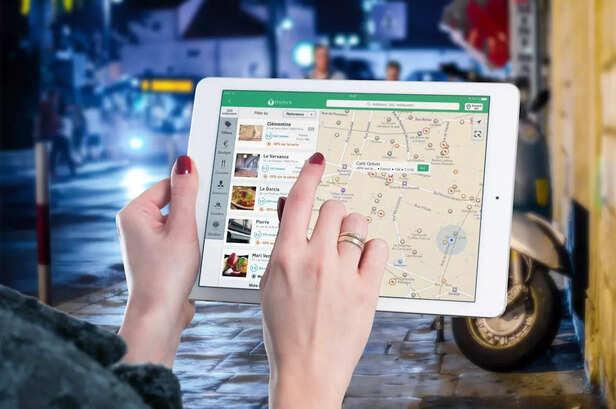
After parking your car, open the Google Maps app on your Android phone. Tap the blue dot that shows your current location and choose the option to save your parking spot. Google Maps will securely remember where your car is parked for several hours. There is no need to take screenshots or write notes. This simple feature works in the background and helps you return to your vehicle easily without confusion or wasted time.
![Find Parked Car with Google Maps]()
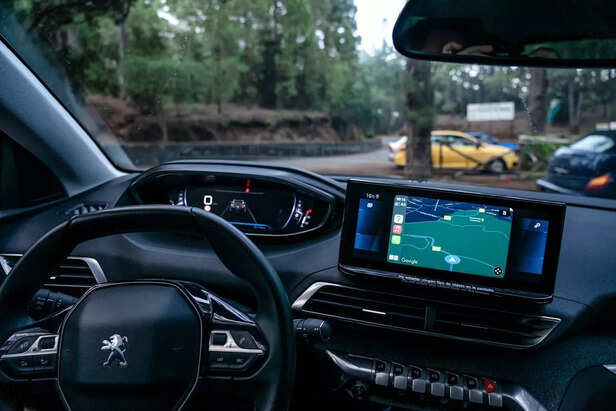
When you are ready to return to your car, open Google Maps on your phone. Tap the search bar and select your saved parking location from the results. Choose the directions option to begin navigation. Google Maps will provide clear, step by step guidance to help you reach your parked car. Whether you are walking or driving, the app ensures a smooth return without confusion, saving time and reducing stress in busy parking areas.
![Share Parking Location on Google Maps]()
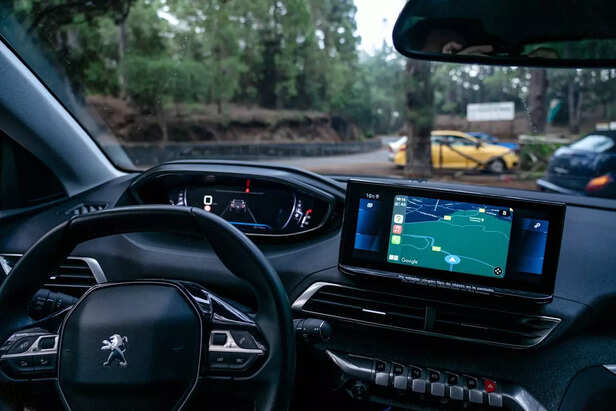
This small Google Maps feature creates a big impact in everyday driving. It helps users save their parking location automatically, reducing stress and saving valuable time. Drivers no longer need to remember landmarks or take screenshots. The feature also cuts down unnecessary walking in crowded parking areas. For people who drive daily, this tool adds comfort and convenience. Once you start using Google Maps to remember where you parked, finding your car becomes quick, easy, and completely worry-free.
Unlock insightful tips and inspiration on personal growth, productivity, and well-being. Stay motivated and updated with the latest at My Life XP.
Can ChatGPT use Google Maps?
ChatGPT cannot directly access or control Google Maps. However, it can explain how Google Maps features work and guide users step by step on using navigation, saving parking locations, or finding places.
How to keep a car in Google Maps?
To save your parked car in Google Maps, open the app after parking, tap the blue location dot, and select the option to save parking. Google Maps will remember the spot and help you return later.
What is the car crash symbol on Google Maps?
The car crash symbol on Google Maps indicates an accident reported on that road. It helps drivers stay alert and may suggest alternate routes to avoid traffic delays.
Saving Your Parking Spot on Android
Save Parking Location on Google Maps
Image credit : Pexels
After parking your car, open the Google Maps app on your Android phone. Tap the blue dot that shows your current location and choose the option to save your parking spot. Google Maps will securely remember where your car is parked for several hours. There is no need to take screenshots or write notes. This simple feature works in the background and helps you return to your vehicle easily without confusion or wasted time.
Finding Your Parked Car Easily
Find Parked Car with Google Maps
Image credit : Pexels
When you are ready to return to your car, open Google Maps on your phone. Tap the search bar and select your saved parking location from the results. Choose the directions option to begin navigation. Google Maps will provide clear, step by step guidance to help you reach your parked car. Whether you are walking or driving, the app ensures a smooth return without confusion, saving time and reducing stress in busy parking areas.
Why This Feature Matters Daily
Share Parking Location on Google Maps
Image credit : Pexels
This small Google Maps feature creates a big impact in everyday driving. It helps users save their parking location automatically, reducing stress and saving valuable time. Drivers no longer need to remember landmarks or take screenshots. The feature also cuts down unnecessary walking in crowded parking areas. For people who drive daily, this tool adds comfort and convenience. Once you start using Google Maps to remember where you parked, finding your car becomes quick, easy, and completely worry-free.
Unlock insightful tips and inspiration on personal growth, productivity, and well-being. Stay motivated and updated with the latest at My Life XP.
Frequently Asked Questions (FAQs)
ChatGPT cannot directly access or control Google Maps. However, it can explain how Google Maps features work and guide users step by step on using navigation, saving parking locations, or finding places.
How to keep a car in Google Maps?
To save your parked car in Google Maps, open the app after parking, tap the blue location dot, and select the option to save parking. Google Maps will remember the spot and help you return later.
What is the car crash symbol on Google Maps?
The car crash symbol on Google Maps indicates an accident reported on that road. It helps drivers stay alert and may suggest alternate routes to avoid traffic delays.