Monsoon Making Your Phone Battery Die Faster? Here’s How
Palak Khanna | Aug 06, 2026, 22:19 IST
Rainy weather can make your phone battery behave strangely, from dropping percentages faster than usual to charging unusually slowly. While humidity itself does not directly “drain” a battery, monsoon conditions can affect temperature, charging habits, moisture exposure and overall battery performance. Here’s what is really happening to your smartphone during the rainy season and what you can do to protect it.

Is Monsoon Killing Your Battery?
Image credit : Chatgpt (AI)
You step outside for five minutes in the rain, come back home, check your phone and suddenly wonder, “Wait, how did my battery go from 48% to 31%?” No, your phone probably isn't secretly working overtime because it saw a few rain clouds. But monsoon weather can create conditions that make your smartphone behave differently. Humidity, temperature changes, moisture exposure, charging habits and even an already ageing battery can all play a role. So, if your phone battery is draining faster during monsoon, here is what may actually be happening.
![Humidity's Hidden Effect]()
Let's clear up one common misconception first. High humidity does not simply suck power out of your smartphone battery. Modern smartphones generally use lithium-ion batteries, and their performance is influenced more directly by factors such as temperature, battery age, workload and charging conditions. The problem with monsoon weather is the moisture in the environment. Your phone may be exposed to damp air, wet hands, rain droplets or condensation when you move between cool indoor spaces and warm, humid outdoor conditions. Most phones have some level of water resistance, but that does not mean they are completely immune to moisture-related problems. Over time, moisture exposure can potentially affect charging ports, connectors and other components.
![Your Battery May Be Aging]()
Rainy weather is usually associated with cooler temperatures, but your phone does not necessarily stay cool. You might be sitting inside an air-conditioned room, step outside into humid weather and then return indoors. These repeated changes can create different conditions for the phone's battery and internal components. Lithium-ion batteries work best within a moderate temperature range. Extremely hot or cold conditions can temporarily affect battery performance, while repeated exposure to unsuitable temperatures can contribute to long-term battery degradation. This is also why your battery percentage can sometimes appear to behave strangely after your phone has been exposed to unusual temperatures.
Sometimes, the weather gets blamed when the real culprit is what we're doing with the phone. During rainy days, people often spend more time indoors scrolling through social media, watching videos, gaming or streaming content. That means the screen stays on longer and the processor works harder. Your phone may also constantly search for a stronger mobile signal when you're travelling through areas with poor network coverage. That can consume additional power. Bluetooth, GPS, mobile data, hotspot usage and background apps can add to the drain too. So before blaming humidity, check Screen Time and battery usage on your phone. You might find that your phone is simply being used much more than usual.
![Don't Charge It Wet]()
This is one monsoon habit worth taking seriously. If your phone or charging port becomes wet, plugging it in immediately is not a great idea. Some smartphones will even display a moisture warning and temporarily prevent wired charging. Don't try to force the cable in just because your battery is at 5%. Instead, disconnect the charger and allow the phone and port to dry naturally. Avoid using excessive heat to speed things up. It is also a good idea to keep your charger, cable and charging area away from damp surfaces. And if your phone repeatedly shows a moisture warning even when the port appears dry, that could indicate a problem that needs professional attention.
Here's the part many people overlook. If your phone battery is already several years old, seasonal changes may simply make its existing weakness more noticeable. Lithium-ion batteries naturally lose capacity as they go through charging cycles. An older battery may therefore drop from 40% to 20% much faster than it once did, regardless of the weather. Look for warning signs such as unusually rapid percentage drops, unexpected shutdowns, excessive heating or significantly shorter battery life. If these problems keep happening, check your phone's battery health tools if available. A battery that is already significantly degraded may need replacement rather than another round of settings tweaks.
A rainy day alone usually isn't enough to suddenly destroy your smartphone battery. Instead, humidity, temperature fluctuations, increased phone usage, moisture exposure, charging behaviour and battery age can work together to make battery problems more noticeable during monsoon. The easiest approach is simple: keep your phone dry, avoid charging it when the port is wet, don't expose it to extreme temperatures and keep an eye on battery usage. So the next time your battery seems to disappear faster than the rain outside, check your habits and your battery health before blaming the weather.
Unlock insightful tips and inspiration on personal growth, productivity, and well-being. Stay motivated and updated with the latest atMy Life XP.
Humidity Does Not Directly Drain Your Battery, But It Can Create Problems
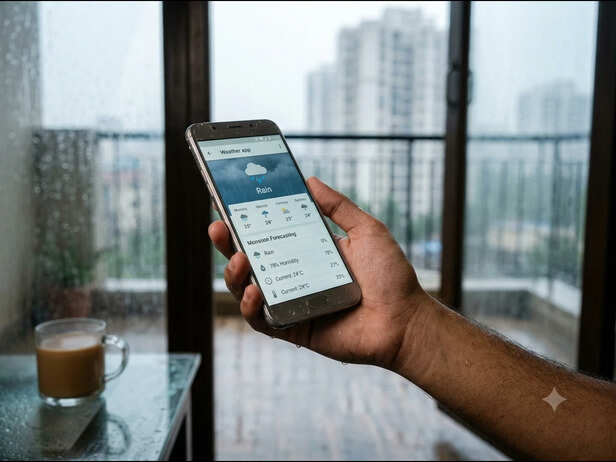
Humidity's Hidden Effect
Image credit : Gemini (AI)
Let's clear up one common misconception first. High humidity does not simply suck power out of your smartphone battery. Modern smartphones generally use lithium-ion batteries, and their performance is influenced more directly by factors such as temperature, battery age, workload and charging conditions. The problem with monsoon weather is the moisture in the environment. Your phone may be exposed to damp air, wet hands, rain droplets or condensation when you move between cool indoor spaces and warm, humid outdoor conditions. Most phones have some level of water resistance, but that does not mean they are completely immune to moisture-related problems. Over time, moisture exposure can potentially affect charging ports, connectors and other components.
Temperature Changes Can Make Your Battery Act Strange
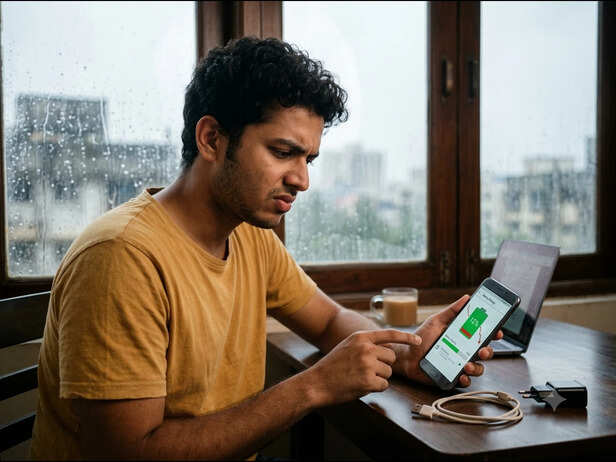
Your Battery May Be Aging
Image credit : Gemini (AI)
Rainy weather is usually associated with cooler temperatures, but your phone does not necessarily stay cool. You might be sitting inside an air-conditioned room, step outside into humid weather and then return indoors. These repeated changes can create different conditions for the phone's battery and internal components. Lithium-ion batteries work best within a moderate temperature range. Extremely hot or cold conditions can temporarily affect battery performance, while repeated exposure to unsuitable temperatures can contribute to long-term battery degradation. This is also why your battery percentage can sometimes appear to behave strangely after your phone has been exposed to unusual temperatures.
Your Monsoon Habits Could Be the Real Battery Killer
Charging a Damp Phone Is Where You Really Need To Be Careful

Don't Charge It Wet
Image credit : Gemini (AI)
This is one monsoon habit worth taking seriously. If your phone or charging port becomes wet, plugging it in immediately is not a great idea. Some smartphones will even display a moisture warning and temporarily prevent wired charging. Don't try to force the cable in just because your battery is at 5%. Instead, disconnect the charger and allow the phone and port to dry naturally. Avoid using excessive heat to speed things up. It is also a good idea to keep your charger, cable and charging area away from damp surfaces. And if your phone repeatedly shows a moisture warning even when the port appears dry, that could indicate a problem that needs professional attention.
An Old Battery Becomes More Noticeable During Monsoon
Don't Blame the Rain Just Yet
Unlock insightful tips and inspiration on personal growth, productivity, and well-being. Stay motivated and updated with the latest atMy Life XP.